
Eight parts of one stronger process
Give the screenplay more ways to compete.
ForgePad starts with the page, then gives an independent writer the structure, visual planning, listening, analysis and collaboration tools that usually demand more people, more time and more money.
Open any feature to see how it helps the draft arrive better tested, better prepared and harder to dismiss.
The writing room
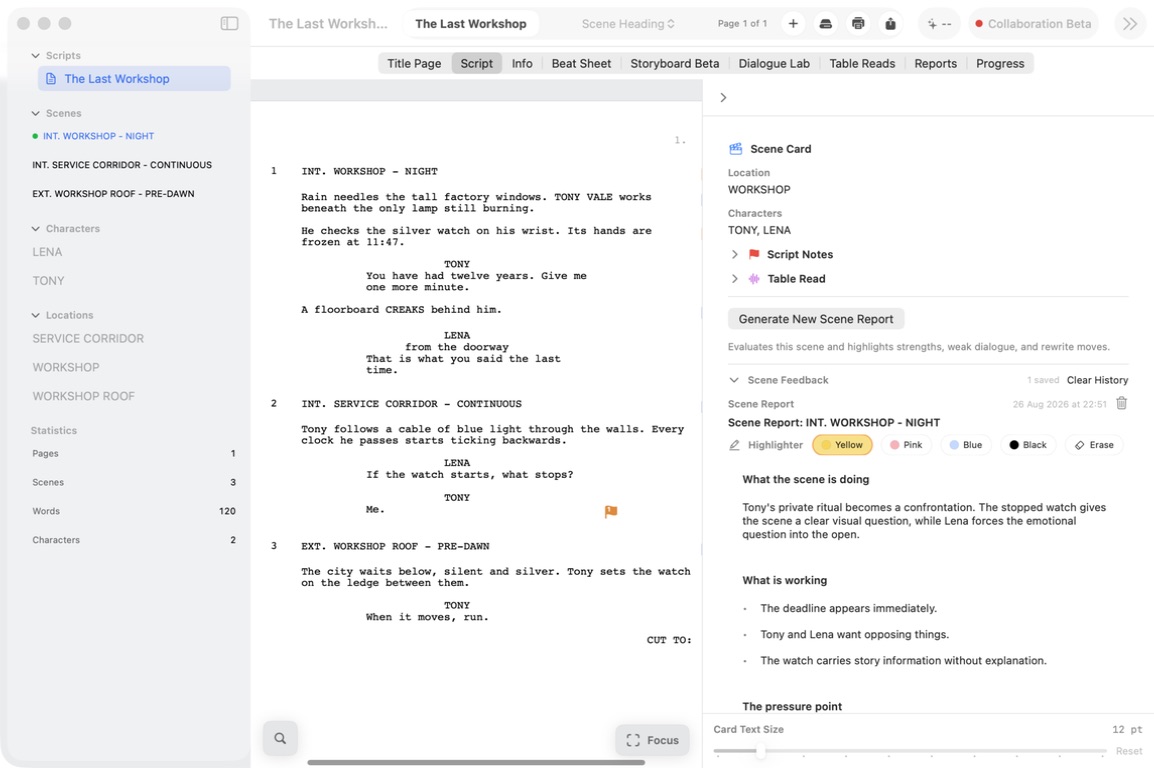
Screenplay Editor
A screenplay-native Mac editor that handles formatting, keeps scenes close and gives every note a useful home.
New in ForgePad
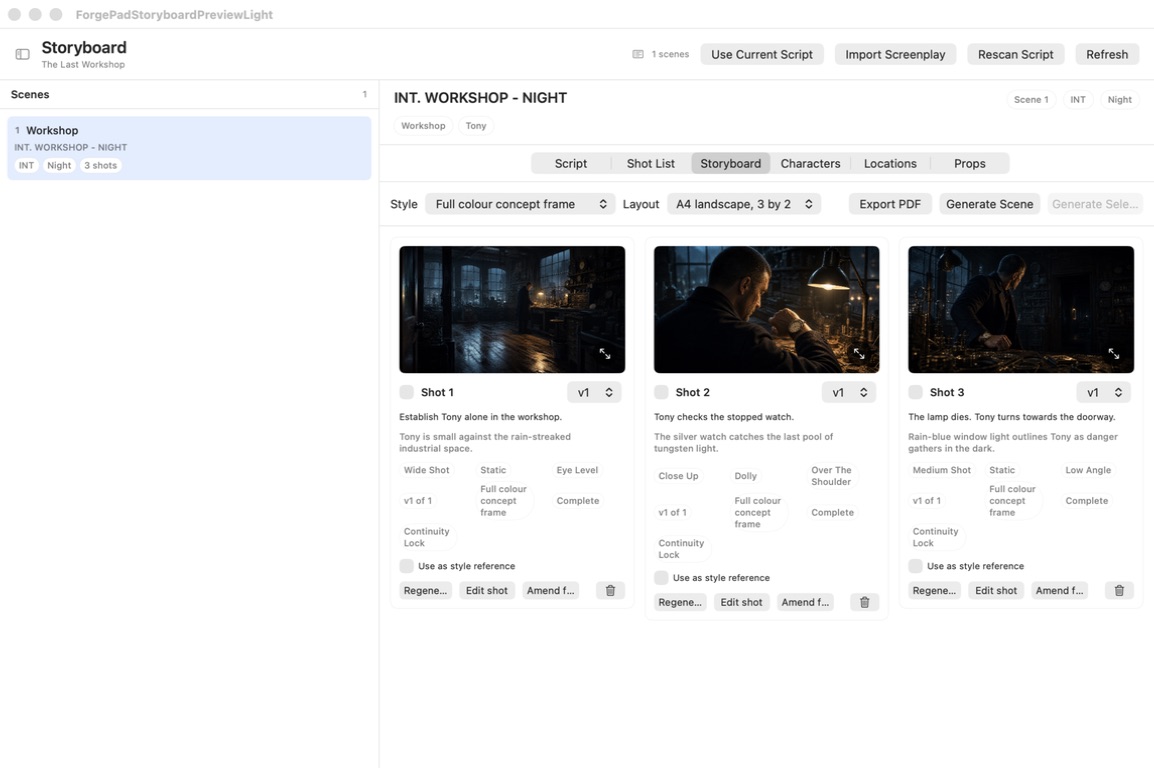
Storyboards
Turn script scenes into visual shot plans, keep references consistent and carry the same creative logic across the sequence.
Structure you can see
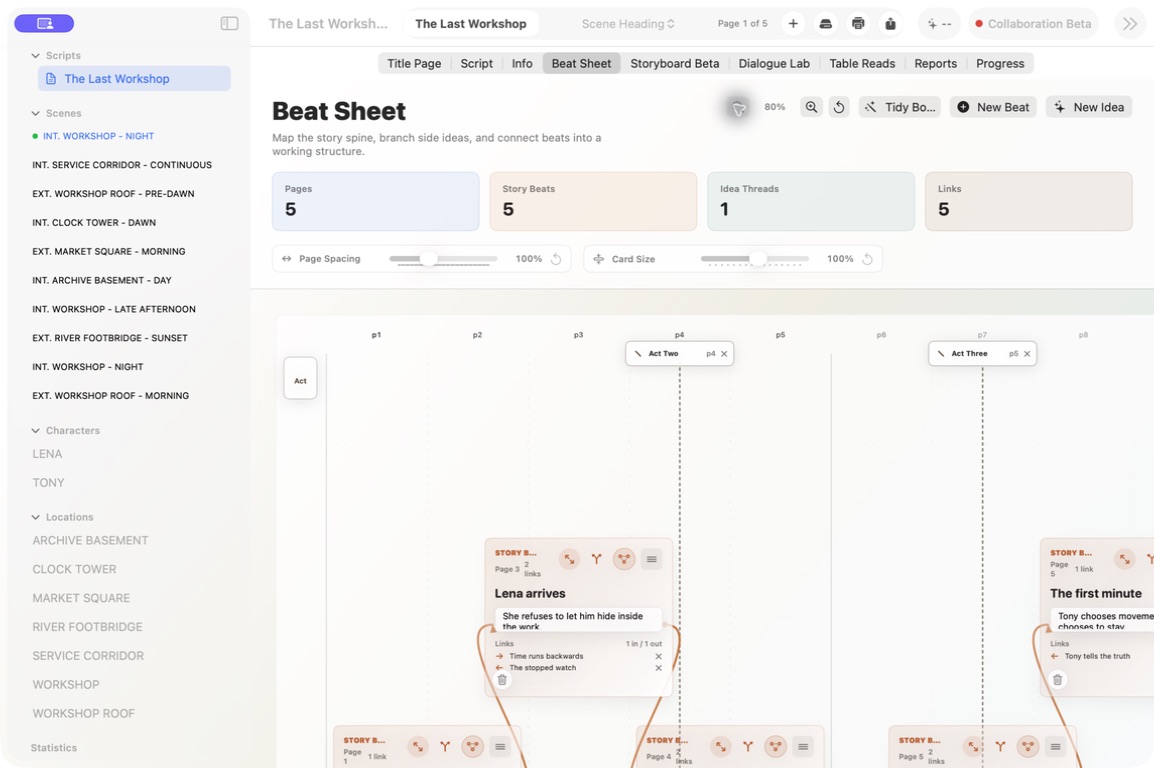
Beat Sheets
Arrange beats, connect ideas and keep the dramatic movement visible while the screenplay remains free to change.
Useful questions, sooner
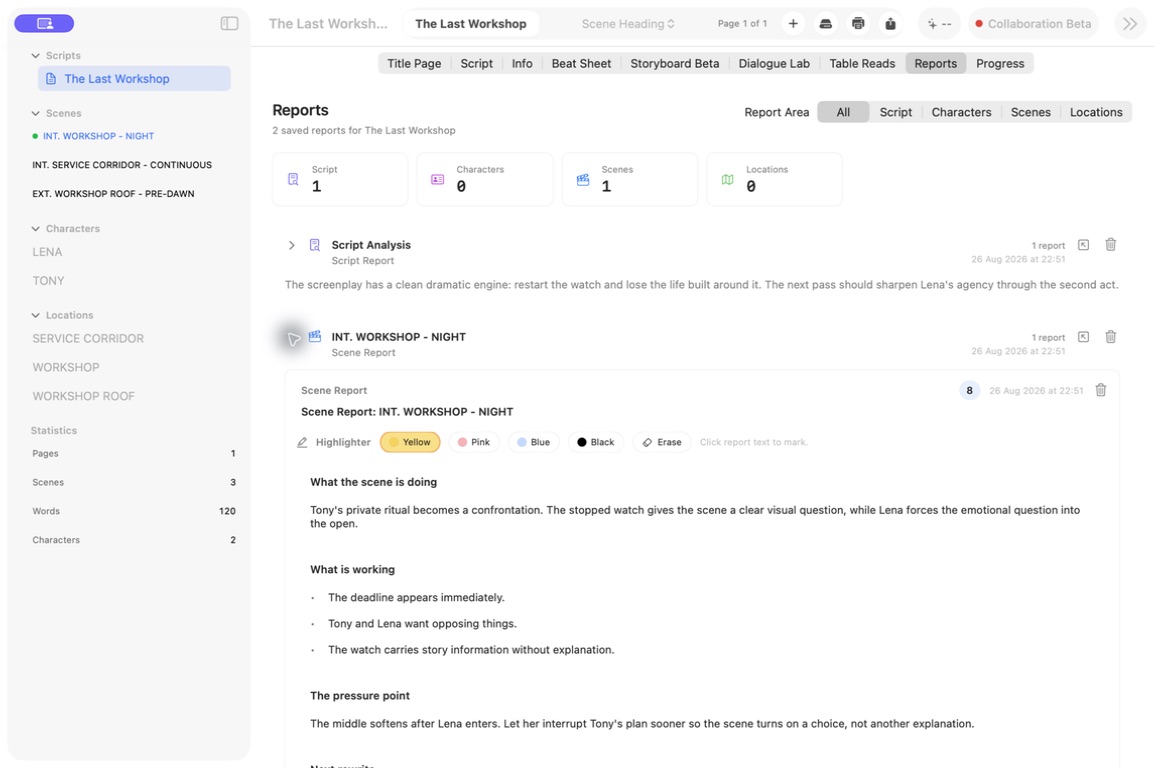
Scene Reports
Inspect purpose, conflict, tension, dialogue and rewrite possibilities while the scene is still open in front of you.
Hear the page
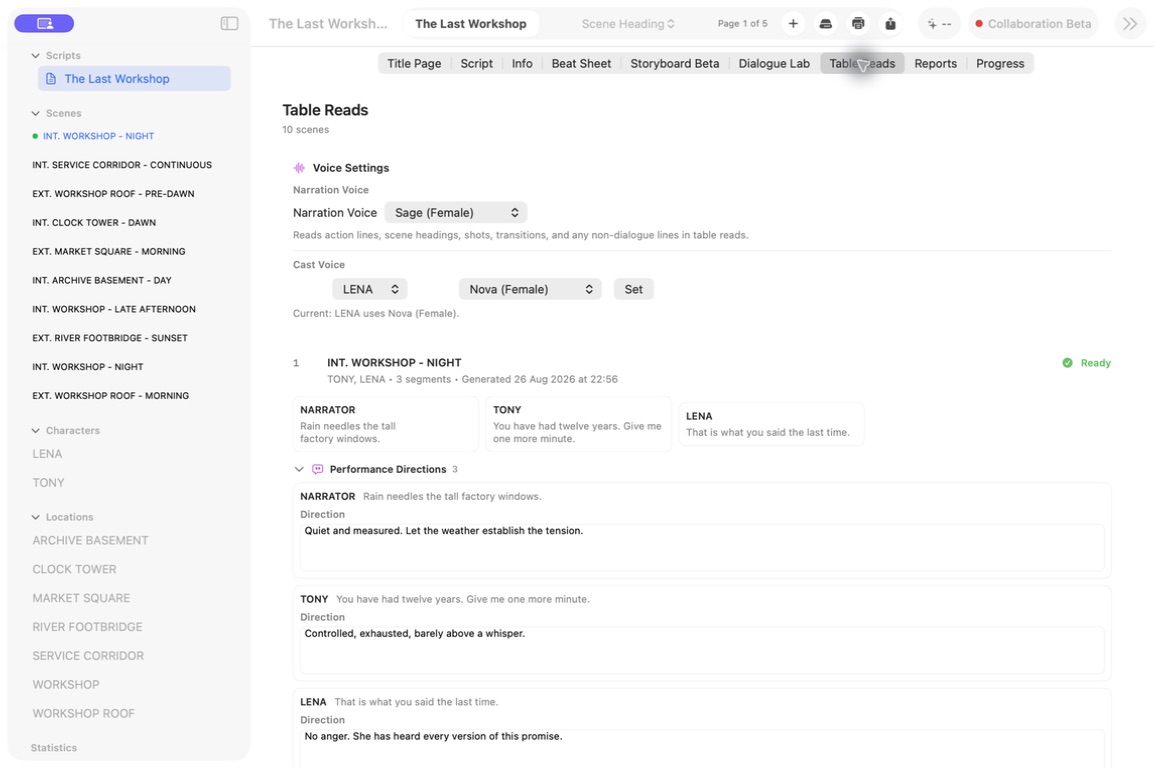
Table Reads
Give characters distinct voices, play a scene back and catch rhythm, pacing and tone problems before a reader, actor or room does.
One true draft
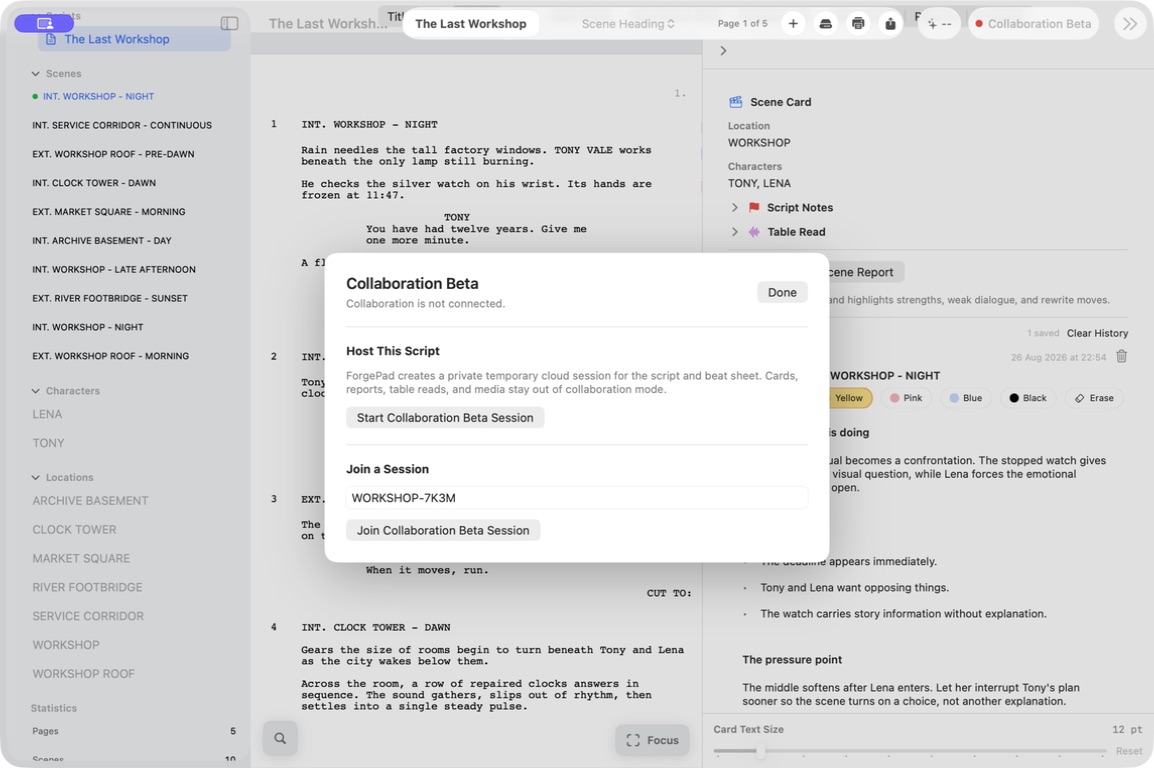
Live Collaboration
Share a screenplay, edit live and keep notes attached to the same project even when the writing room is miles apart.
Make the work visible
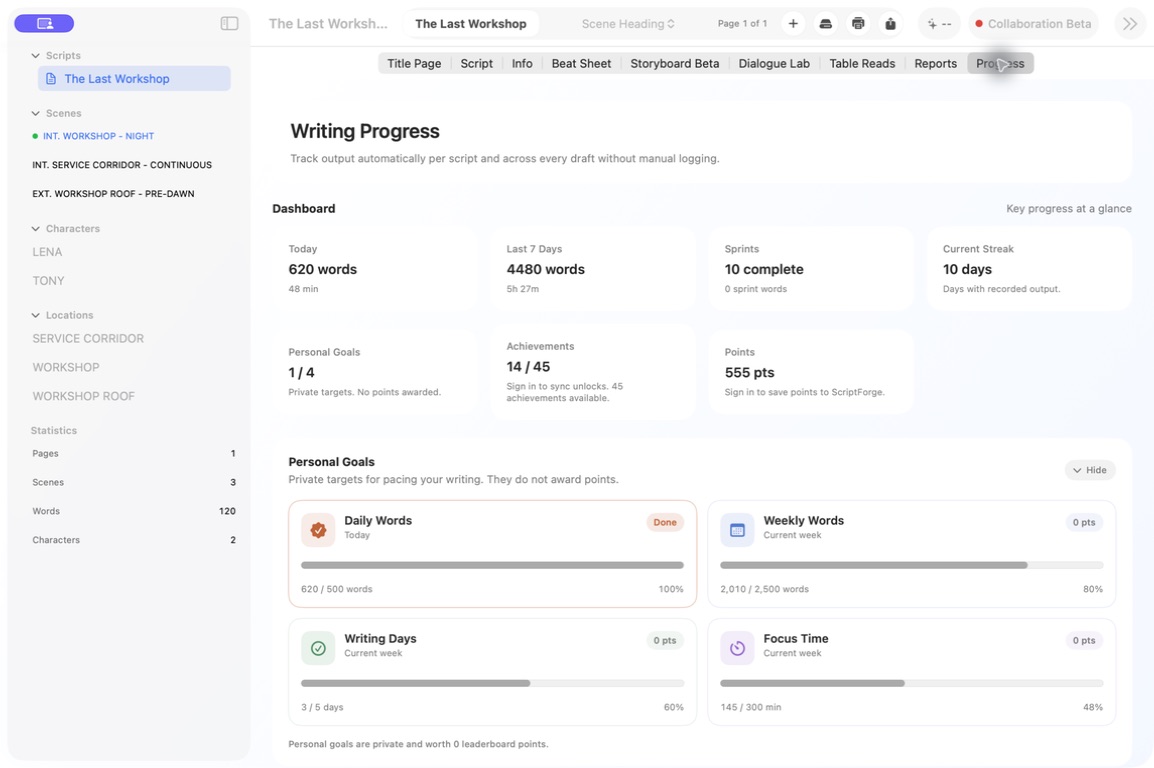
Writing Progress
Use goals, streaks, achievements and community progress to keep returning when the first burst of excitement has gone.
Deeper analysis online
ScriptForge Platform
Use your connected ScriptForge account for coverage reports, full evaluations, rewrite plans and specialised screenplay analysis online.
One connected workspace
Give the draft every advantage you can.
Download ForgePad free from the Mac App Store and keep the whole development process close to the screenplay.
Get ForgePad for Mac ↗